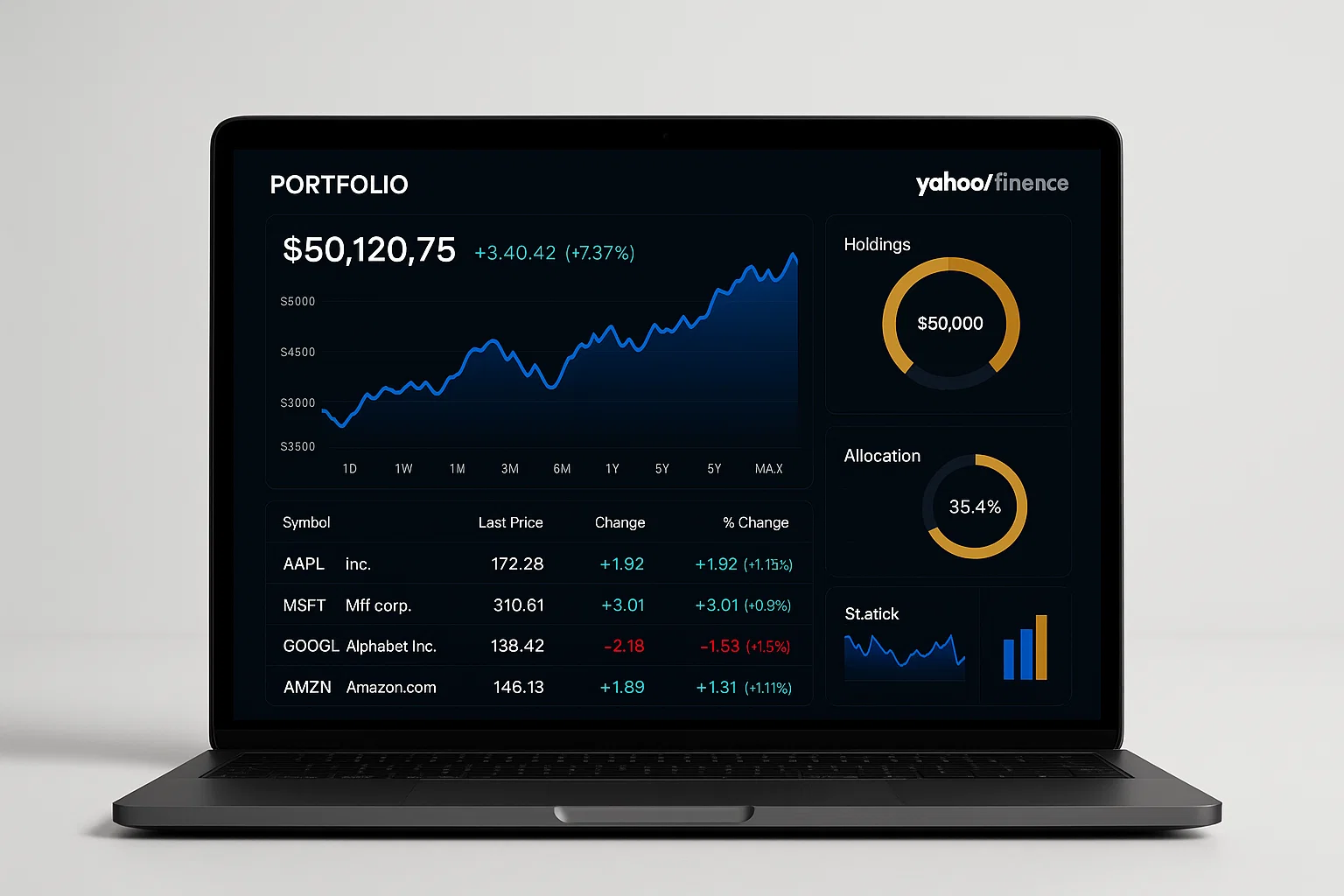
The Yahoo Finance portfolio tracker tool lets you monitor your stocks, ETFs, and crypto in one place. It simplifies investment tracking, delivers real-time insights, and helps you make smarter financial decisions—perfect for both beginners and seasoned investors.
Introduction
The Yahoo Finance portfolio tracker tool is one of the most popular and user-friendly ways to manage your investments online. Whether you’re tracking stocks, ETFs, or cryptocurrencies, Yahoo Finance provides a centralized dashboard to monitor performance and get market updates in real-time.
This guide will walk you through how the tracker works, how to use it effectively, and which best practices can help you get the most from it. If you’ve ever juggled multiple apps or spreadsheets to manage your portfolio, this tool can save you hours and give you confidence in your investment decisions.
In my experience, combining Yahoo Finance’s tracker with a simple automation workflow (like Google Sheets export) has been a game-changer for transparency and planning. Let’s dive in and see how you can use it too.
Understanding the Yahoo Finance Portfolio Tracker Tool
What Is It and Why It Matters
At its core, the Yahoo Finance portfolio tracker tool is a free web and mobile feature that allows you to track your holdings in one secure dashboard. You can add assets manually or sync with your brokerage account to automatically import positions and transaction data.
Yahoo Finance pulls real-time quotes, news, and market data from major exchanges, making it ideal for staying on top of your portfolio’s performance without switching between apps.
According to financial analysts (source: Investopedia), using centralized portfolio trackers improves investor discipline and provides a clearer picture of asset allocation and returns.
Key Features
- Automatic data sync: Connect your brokerage to import live holdings.
- Custom alerts: Get notifications for price movements, earnings, and news.
- Performance insights: Track gains/losses, historical charts, and sector breakdowns.
- Mobile access: Use the Yahoo Finance app to manage on the go.
Why Investors Prefer It
Investors love this tool for its clean interface, ease of use, and integration with Yahoo’s ecosystem (news, analysis, and charts). Unlike spreadsheets, it updates automatically, saving time and reducing manual errors.
How to Use the Yahoo Finance Portfolio Tracker Tool
Step 1: Set Up Your Portfolio
- Visit Yahoo Finance.
- Click on “My Portfolio” in the top navigation.
- Choose Create a New Portfolio and name it (e.g., “Growth Stocks”).
- Add your assets by symbol (e.g., AAPL, TSLA, MSFT) or upload a CSV file.
Step 2: Add or Sync Holdings
- To add manually: Enter quantity, purchase price, and purchase date.
- To sync automatically: Connect your brokerage (supported in major regions).
As highlighted by Yahoo Help Center, connected accounts are encrypted and use read-only access to ensure security and privacy (yahoo.com).
Step 3: Monitor and Analyze
Once your data loads, you’ll see:
- Total value and daily change
- Pie charts by sector or asset type
- Performance over time
You can also create custom views or sort by performance, gainers, and losers.
Step 4: Export to Google Sheets (Optional)
If you’re into custom analysis or automation, here’s a quick Python snippet to fetch portfolio data from Yahoo Finance APIs:
import yfinance as yf

# Fetch data for specific tickers
tickers = ["AAPL", "TSLA", "MSFT"]
data = yf.download(tickers, period="1mo")

# Calculate average closing prices
avg_close = data['Close'].mean()
print("Average closing prices:\n", avg_close)
This simple script gives you average close prices for your tracked stocks. Use it to enhance your personal analytics.
Step 5: Stay Updated
Set up notifications to receive price alerts and key market news directly in your email or Yahoo Finance mobile app.
Best Practices and Top Tools for Portfolio Tracking
How to Get the Most Out of It
- Update regularly: Check your portfolio weekly for accuracy.
- Diversify categories: Separate portfolios for long-term, short-term, and retirement goals.
- Set realistic alerts: Avoid alert fatigue—only track significant thresholds.
Recommended Tools & Integrations
1. Yahoo Finance App
Pros: Easy to use, real-time alerts, free
Cons: Limited customization for advanced traders
Tip: Install the app and enable push notifications for instant stock updates.
2. Google Sheets Finance Functions
Pros: Custom calculations, integration with Google Workspace
Cons: Manual setup required
Tip: Use =GOOGLEFINANCE("AAPL","price") to track live prices in sheets.
3. Personal Capital (now Empower)
Pros: Combines budgeting and investments
Cons: Less focused on stock-level analysis
Tip: Connect bank accounts to get a holistic financial view.
As stated by Moz, combining automated tracking tools with manual reviews ensures both accuracy and context in decision-making (moz.com).
Challenges, Privacy & Compliance
Common Issues
- Data delay: Occasionally, some markets have delayed quotes.
- Sync errors: Linked brokerages may require re-authentication.
- Currency mismatches: For global portfolios, conversion rates may vary.
Troubleshooting Tips
- Refresh the page or re-sync accounts if data appears incorrect.
- Verify ticker symbols (especially international ones).
- Use the mobile app for faster updates during market hours.
Compliance & Privacy Checklist
✅ Use encrypted connections when linking brokerages
✅ Review Yahoo’s Terms of Service and Data Privacy Policy
✅ Avoid sharing screenshots containing personal account details
✅ Understand data retention practices before exporting
Disclaimer: This guide is for informational purposes only. For personal financial or tax advice, consult a licensed financial professional.
Conclusion + CTA
The Yahoo Finance portfolio tracker tool offers one of the most straightforward ways to stay informed about your investments. With its clean interface, detailed analytics, and powerful integrations, it’s an excellent choice for investors who want simplicity and insight in one place.
Welcome to Alamcer, a tech-focused platform created to share practical knowledge, free resources, and bot templates. We make technology simple and useful for everyone—developers, freelancers, and businesses alike. Explore our free guides, automation tools, and custom development services to take your productivity to the next level.
FAQs
What is Yahoo Finance portfolio tracker tool?
It’s a free online platform where you can track your investments, including stocks, ETFs, and crypto. It shows real-time prices, performance charts, and asset breakdowns.
Is Yahoo Finance portfolio tracker free?
Yes, it’s completely free. You can use it on the website or mobile app without any subscription.
Can I sync my brokerage with Yahoo Finance?
Yes, Yahoo allows read-only connections to supported brokerages for automatic data import.
How accurate is Yahoo Finance data?
Yahoo uses live market feeds for most major exchanges. Some international data may have slight delays, usually within minutes.
How do I export my Yahoo Finance portfolio?
You can export holdings as a CSV file or use third-party scripts like Python’s yfinance library for live updates.
Does Yahoo Finance support cryptocurrencies?
Yes, it tracks popular cryptocurrencies like Bitcoin and Ethereum with real-time charts and portfolio integration.
How do I get alerts for stock price changes?
Enable alerts in your portfolio settings or mobile app. You’ll receive push or email notifications based on your preferences.
Is Yahoo Finance portfolio tracker secure?
Yes, connections use encryption and read-only permissions to protect your financial data.
Can I use multiple portfolios on Yahoo Finance?
Absolutely. You can create multiple portfolios to separate trading strategies or goals.
What are alternatives to Yahoo Finance tracker?
Some great alternatives include Google Finance, Morningstar Portfolio Manager, and Personal Capital. Each has unique features for different investor needs.